Searching for buyers' requests
HORSES.SALE mobile app allows searching for buyer's requests providing minimum details about the horse you sell. With this flow, you can see requests discovered by our search engine on social media, and received on HORSES.SALE portal or mobile app, and also receive updates about new requests. However, without creating a full horse profile, you can't offer your horse to buyers on HORSES.SALE.
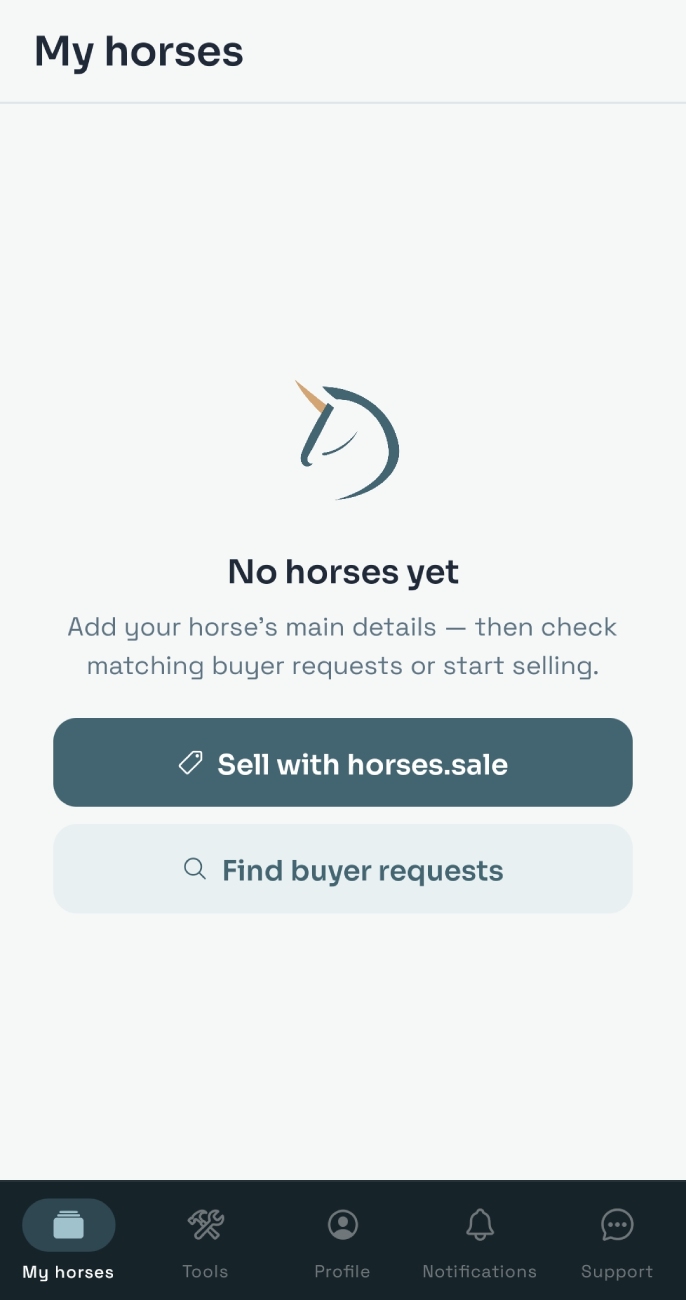
To discover requests, in Seller section tap the Find buyer request button.
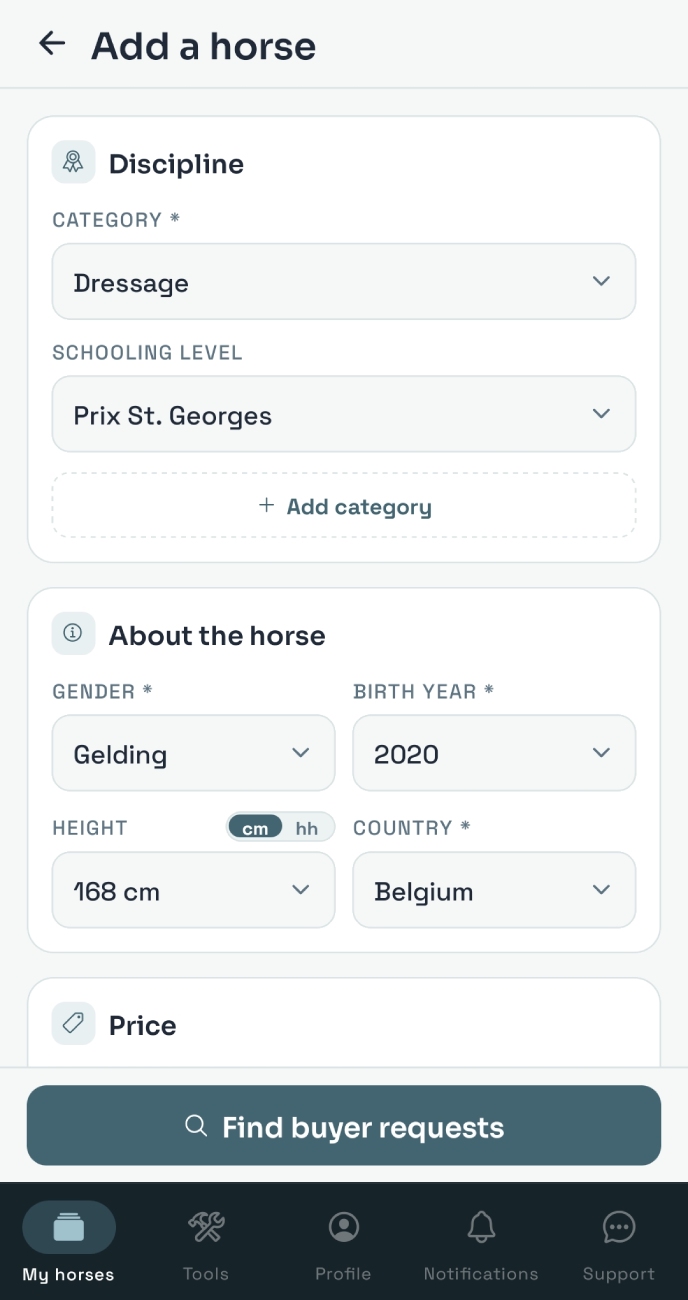
Add required infomation about your horse, including:
- Discipline
- Level (for Dressage and Jumping)
- Gender
- Age
- Location (Country)
- Price
and tap the Find buyers requests button
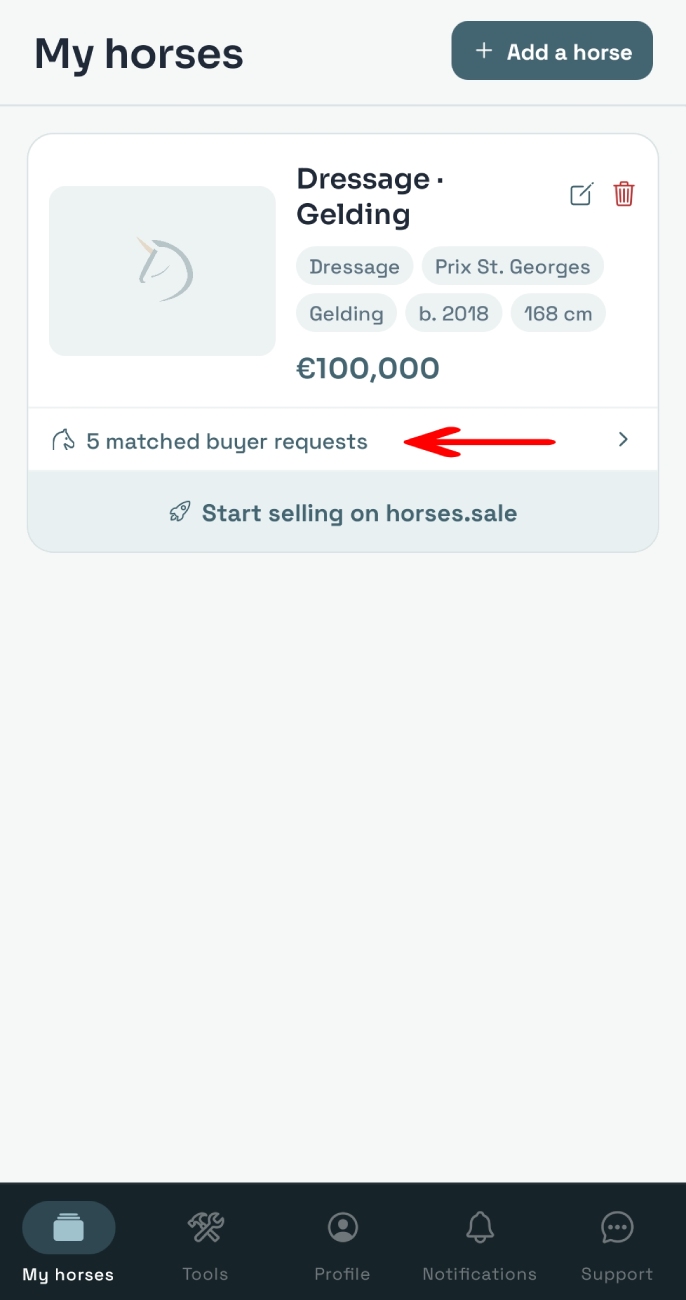
On the My horses screen, you can see your horse card and matched requests counter, e.g. 5 matched buyer requests. Tap on that counter.
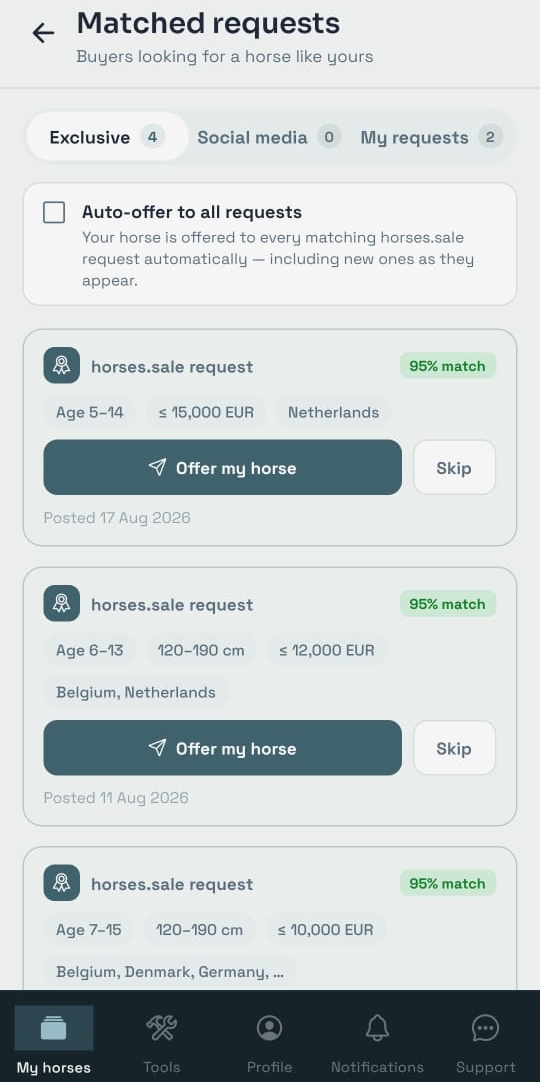
On the Matched requests screen you can see requests for the horse like yours on HORSES.SALE and on social media - you can switch between them with the toggle on the top of the screen.
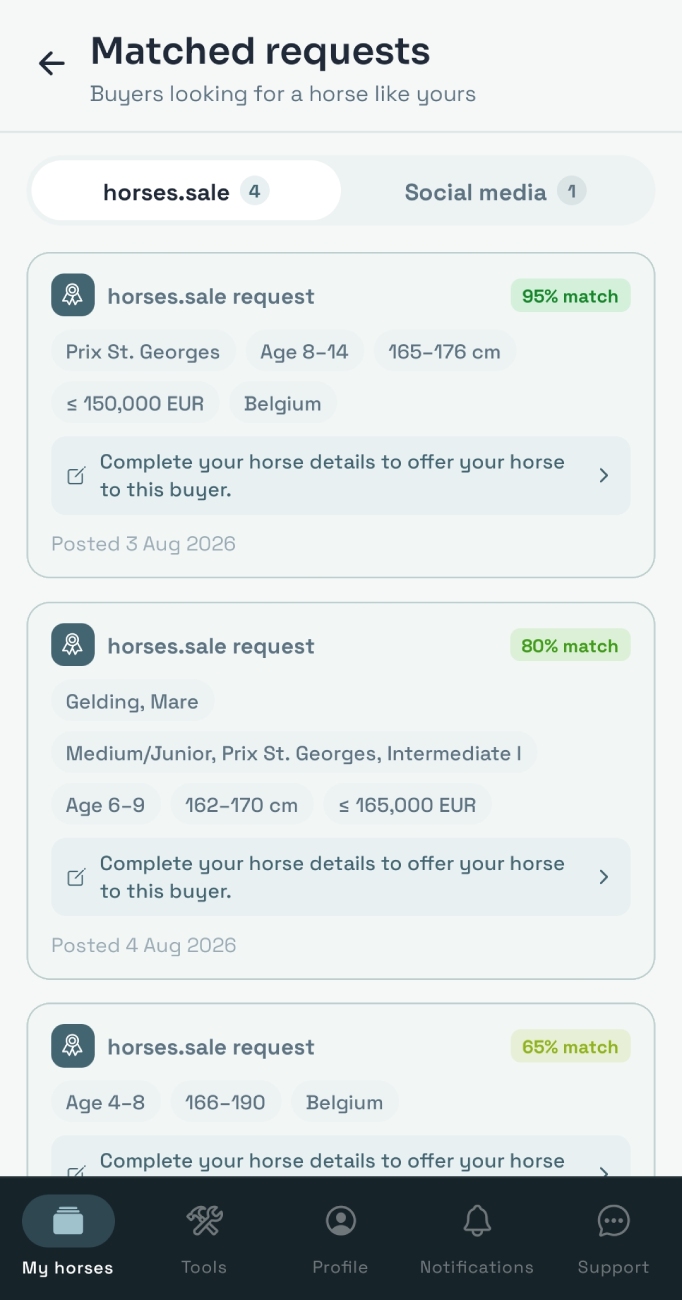
In social media requests list, you can tap on each request and you'll be redirected to the original request post
On HORSES.SALE requests screen, you can see the list of active requests on our platform. To offer your horse to any of the potential buyers, you need to create a full horse profile, including a horse photo, video, descriptions, etc. You can add required additional information to your horse profile by clicking the Start selling on horses.sale button.
Once you've added all required details, you can offer your horse to every buyer with a matching request. Tap the Offer a horse button, and your horse details will be sent to the buyer, along with your contact details: if they are interested, they'll contact you directly.