
Blur rider's face
Sometimes it is important to keep the rider's anonymity on the sales video. HORSES.SALE blur tool can help with it.
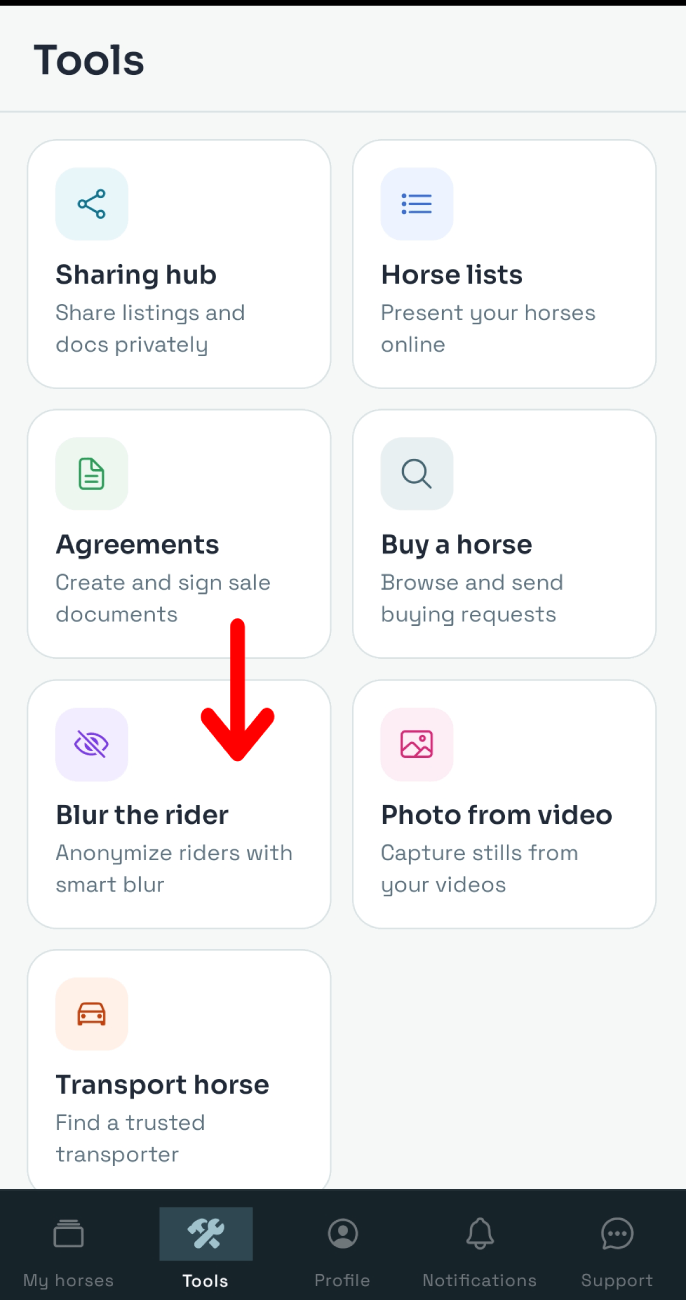
Step 1. Open Tools - Blur the rider option.
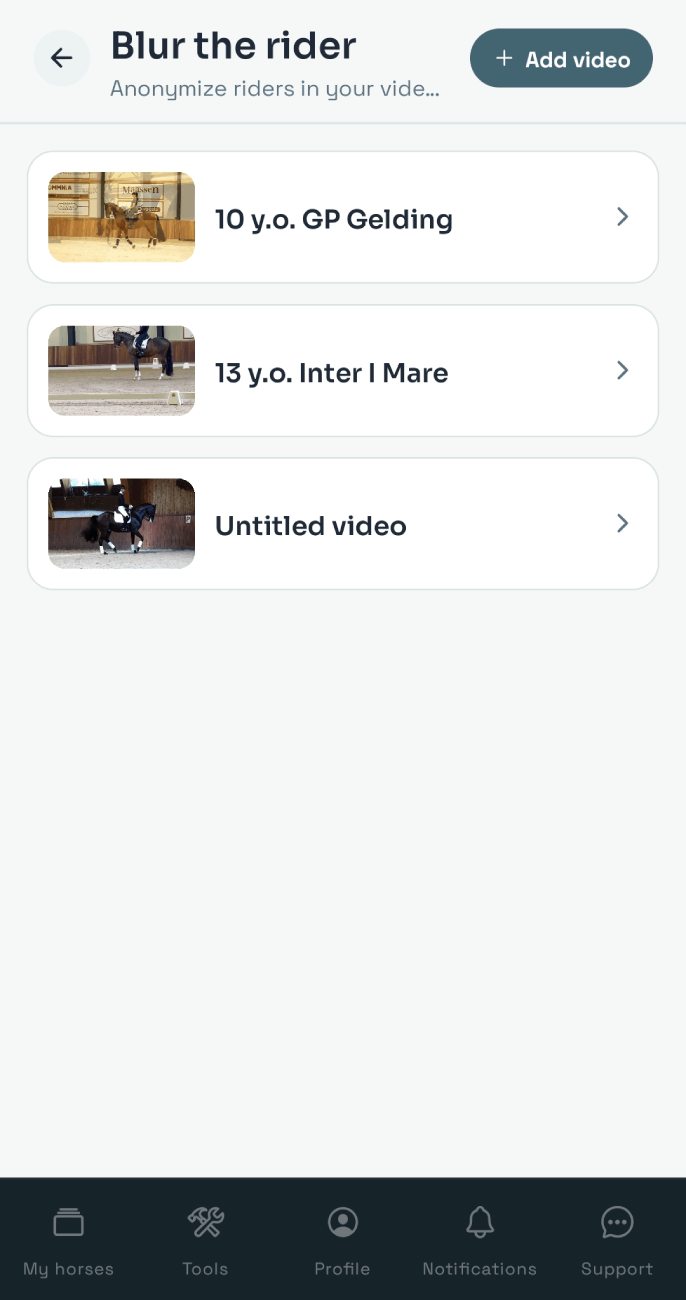
Step 2. You will see the list of all the videos uploaded to your account (YouTube links are not displayed here as they can't be used for blur). You can select one of these videos or upload a new one by tapping the Add video button.
Step 3. Tap the Apply blur button.
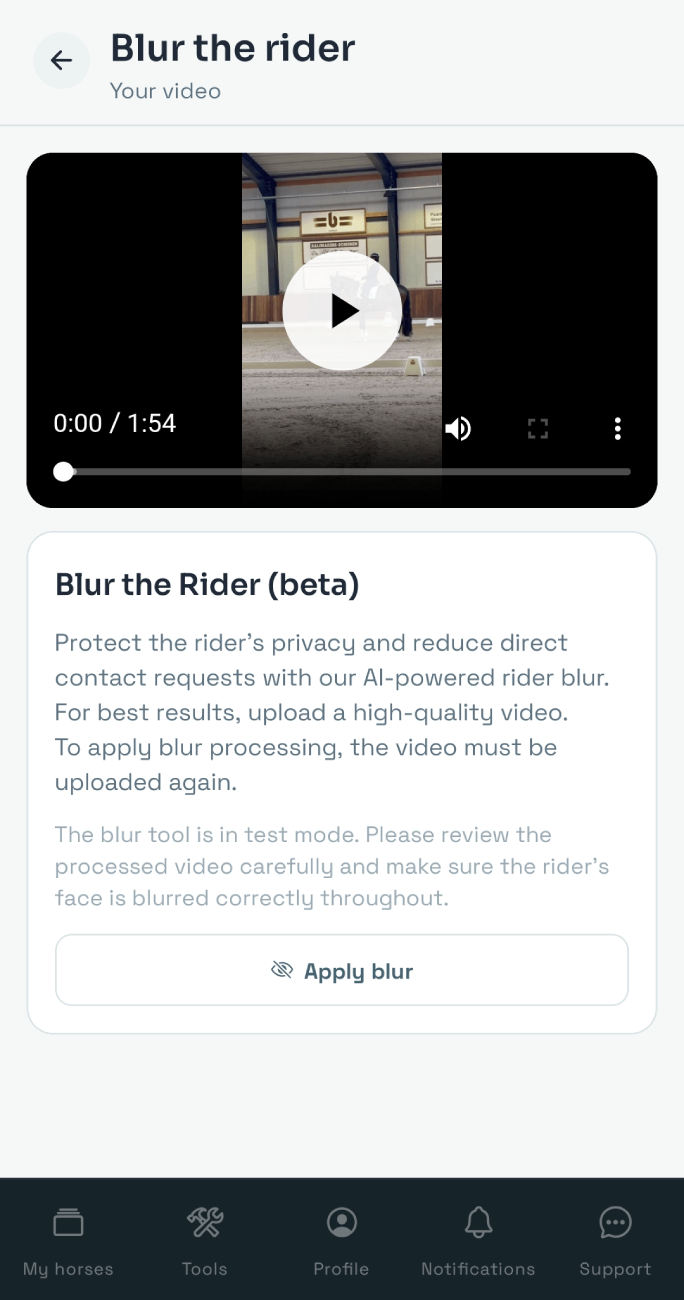
Step 4. In about 10 minutes, you will receive an email with the video link; you can download and use it.
Note that the tool currently operates in test mode, with a maximum video length of 2 min 30 s at 720p and 1 min at 1080p.