
Buyer Requests Scan
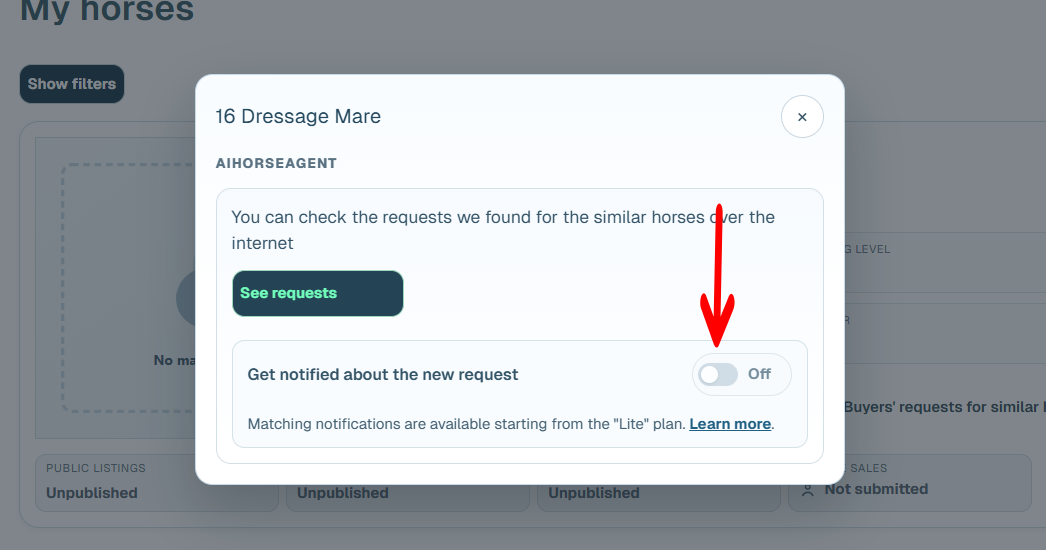
HORSES.SALE automatically scans social media and other online sources for new buyer requests every day. You can enable notifications to be alerted whenever a new request matches your horse — helping you respond quickly to fresh opportunities.
Note: This feature is available in paid plans only.
Step-by-step guide
Step 1. Create a horse listing.
If you are using the scan tool only, you can enter just the minimum required information: Category, Birth year, Gender, Country. Learn more here
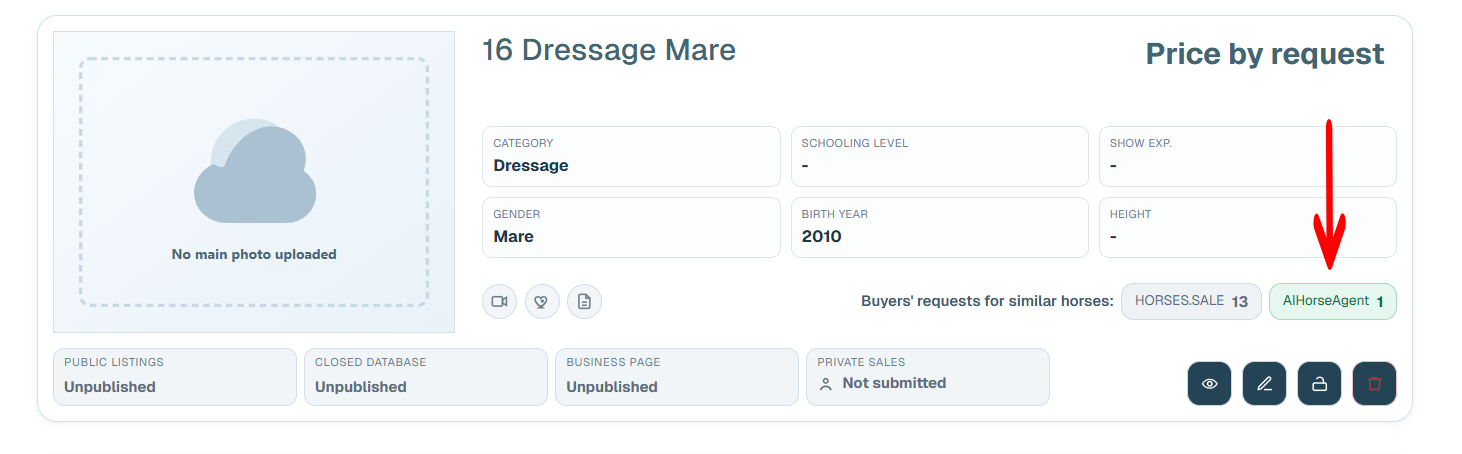
Step 2. Open the horse card and click the[ AIHorseAgent matches counter](https://).
Step 3. Enable notifications for new matches.
How notifications work
When a new matching request is discovered, you will receive a notification based on your profile settings (e.g., email or other selected methods). This feature ensures you never miss new buyer demand — even if it appears outside the HORSES.SALE platform.